

Workshop time is limited
Rigs, tools and tutor time are shared. Every minute spent re-explaining the order is a minute not spent on hands-on practice.
AC Install Pro is a 3D split air conditioning install simulator. Learners work through the full install sequence on a phone or laptop, with real hand actions, so workshop time goes on the rig, not on remembering the order.
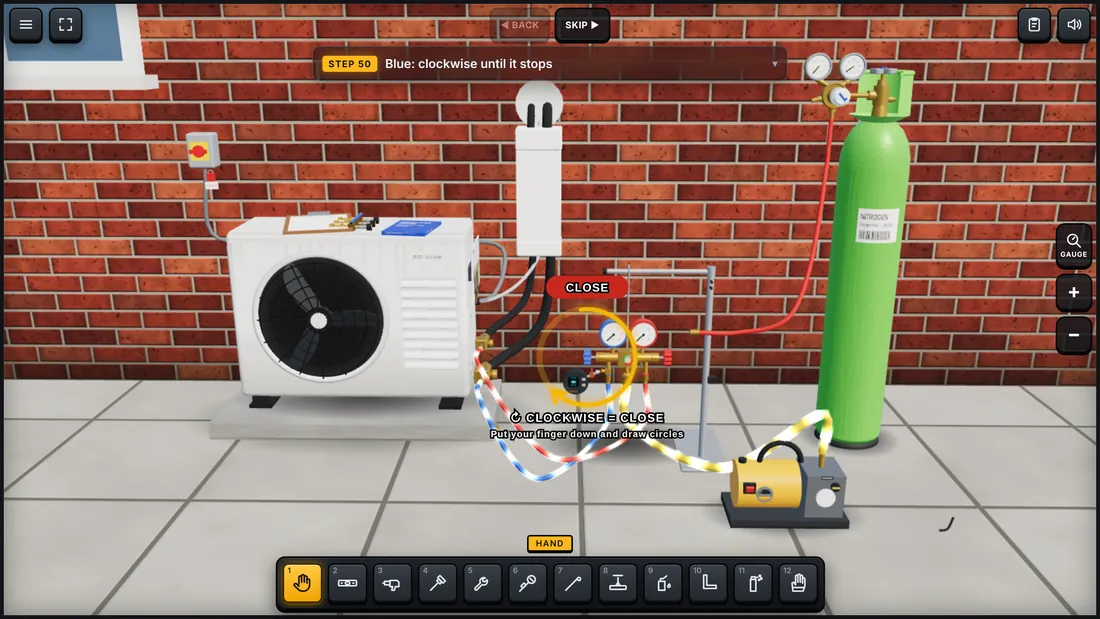
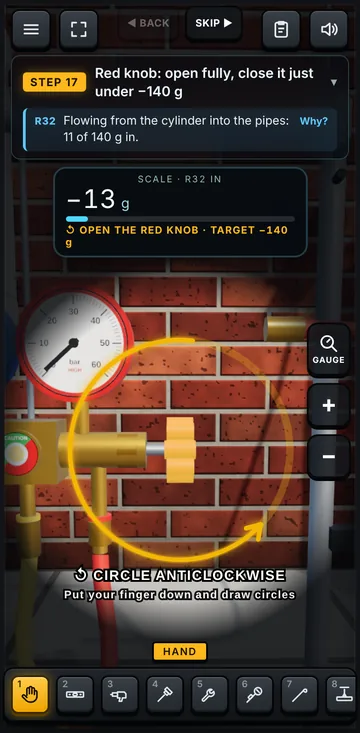
Rigs, tools and tutor time are shared. Every minute spent re-explaining the order is a minute not spent on hands-on practice.
Learners follow it on the day, then come back a week later unsure which valve, which test, which step comes next.
Most of the week is spent on site or at work. There's no rig at home, so there's nothing to practise on between college days.
Short, guided sessions that follow the order an installer works on site.
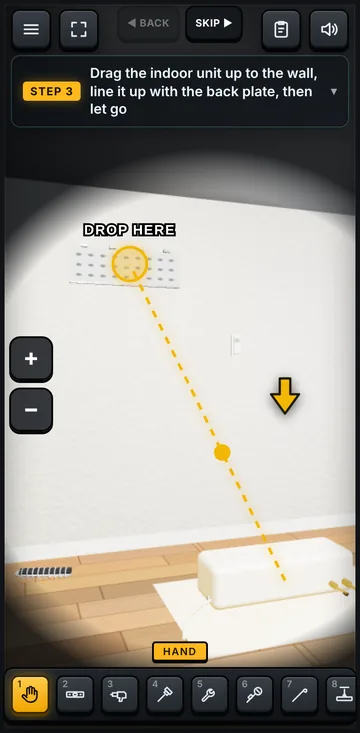
At home, on the train or between college days. It opens in the browser, so there's no app to install and nothing for IT to set up.
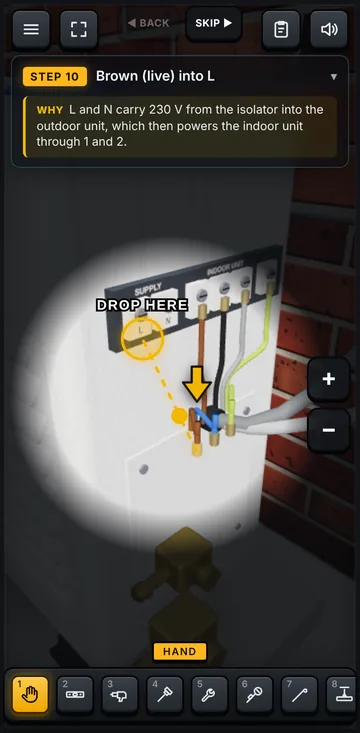
Turn spanners the right way, drag each core to its terminal, flare and torque the pipes, open and close the manifold valves. Nothing completes itself with a tap.
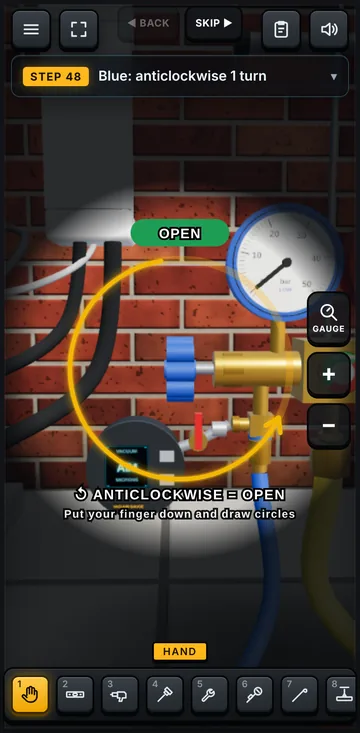
Learners already know the sequence and why each step matters, so your rig time goes on technique, not on remembering what comes next.
Swipe to see all three steps
The demo covers a standard wall-mounted split on R32, stage by stage, in the order an installer works. Learners do each stage with help first, then on their own.
Opens in a new tab. On a computer, click and drag to turn. On a phone, it opens full screen with touch controls.


Mount: level the back plate and hang the indoor unit
One product, configured for your centre. What's available today and what we're building with pilot centres is marked clearly.
Steps on or off to match your course, and options such as test pressures or how the vacuum is pulled, set to the way your tutors teach it.
Units, measurements and trade terms switch between UK and USA, so learners see the figures they'll use at work.
Your centre's name and logo on the start screen, so learners know it's part of their course.
Each learner gets their own login, and every stage they finish is saved, so they can carry on across devices.
See who has completed which stages, their scores, and the steps your group gets wrong most often, before they reach the workshop.
A downloadable certificate with the learner's name, score and date when they complete the install.
Free 3-month pilot.
Limited places. We're working with a small number of training centres and colleges to shape AC Install Pro around real courses.
Request a pilot place
AC Install Pro was built by an engineer who has been through RAC training himself and knows how much easier the workshop is when you already know the sequence. Every stage follows the order an installer works on site, and every correction a tutor sends goes into the next update.
Any modern phone, tablet, laptop or desktop with an up-to-date browser such as Chrome, Safari or Edge. It runs in the browser, so there's nothing to install and nothing for your IT team to approve. On a phone it opens full screen with touch controls.
Each stage is built from standard refrigeration and air conditioning textbook procedure and manufacturers' installation guidance, in the order an installer works on site.
Where a step is simplified to keep a session short, we can set it to match exactly how your centre teaches it during the pilot. Tutors and learners can also flag any step from inside the simulator, and corrections go into the next update.
No. AC Install Pro is for practice between sessions. It prepares learners for the rig; it doesn't replace hands-on training, assessment or an F-Gas qualification.
The demo today needs no account and doesn't collect learners' personal data. Progress is saved in the browser on the device being used.
When learner logins are added during the pilot, we'll put a data processing agreement in place with your centre first, collect only what's needed (such as name and progress), and never sell or share learner data. AC Install Pro is run by Nyika Digital Ltd under UK data protection law. See our privacy policy.
Yes. It's designed for apprentices and new starters, including 16 to 18 year olds. There are no adverts, no chat between users and no in-app purchases in the centre version, and the demo needs no sign-up. With learner logins, accounts are created by your centre, and we won't send marketing to learners.
The pilot is free. After that, centres pay a simple annual or monthly licence based on learner numbers. We're setting prices with our pilot centres, so pricing is on request.
Today: a standard wall-mounted split on R32, from mounting the unit to the vacuum, plus charging extra refrigerant for longer pipe runs. Multi-split and VRF are planned, and pilot centres help decide what comes next.
We'll reply within two working days to arrange a short call.
A full HVAC simulator game for Android and iPhone is on the way. Get notified when it launches.